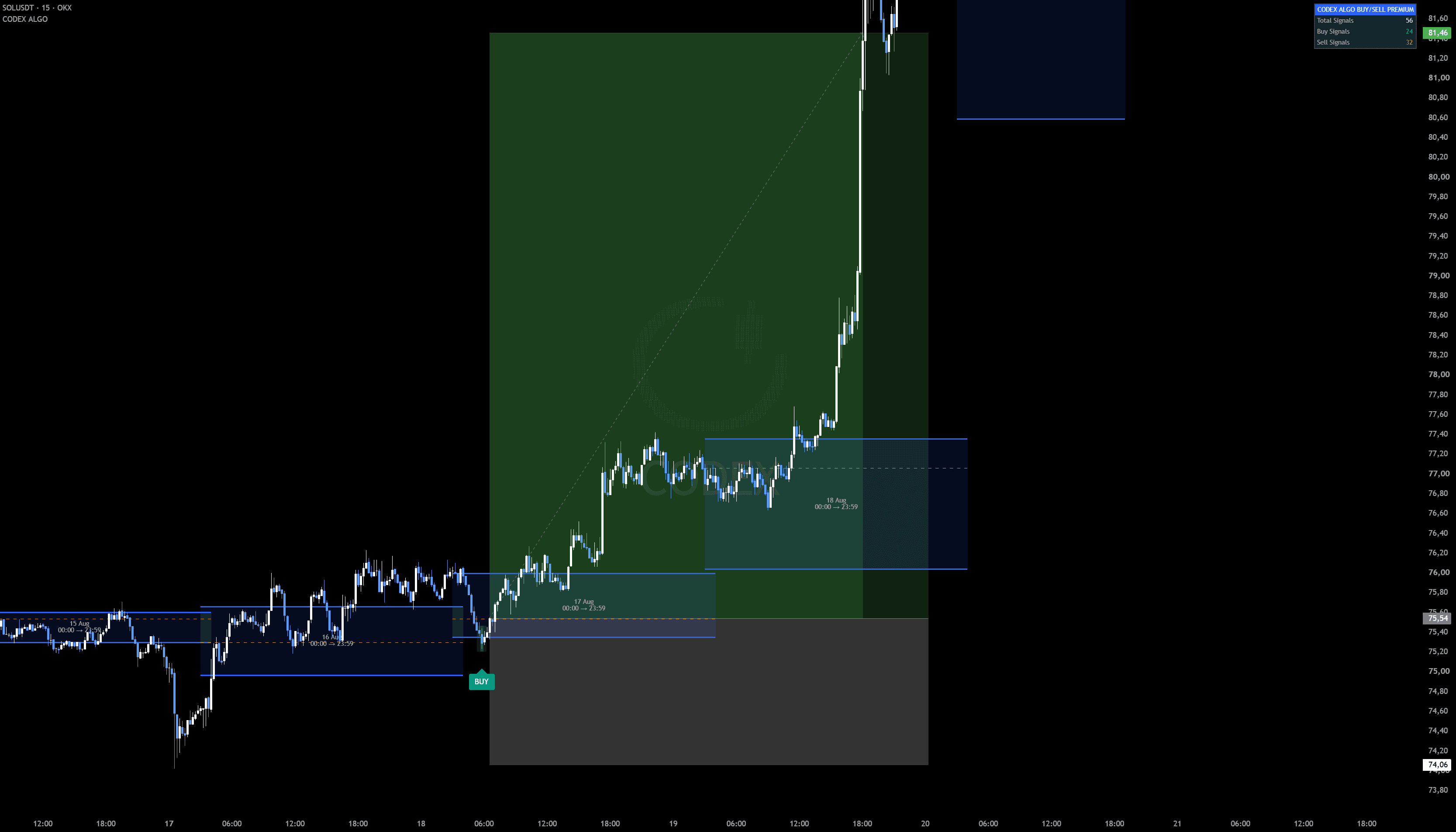
An intelligent TradingView indicator designed to identify structured market opportunities through a proprietary multi-layer analysis model. It evaluates market context, movement quality and broader structural conditions before displaying a confirmed BUY or SELL signal.
CODEX.ALGO has achieved an overall historical backtest win rate of 69.82% across the tested asset set, with higher results on a number of individual markets.
69.82% overall — Calculated across the top liquid markets: the top-10 crypto pairs and major Forex / Commodities / Index instruments — EURUSD, GBPUSD, USDJPY, NZDUSD, XAUUSD, GER40, US100, US500 and more. Selected markets have historically produced even higher results.
ForexCommoditiesIndicesCrypto
Performance varies by instrument, market conditions, data source and tested period.
What does CODEX actually do?
Most indicators first see price move and then react. CODEX tries to understand the market environment before allowing a signal to appear.
01 — Direction
Where is the larger market structure pointing?
CODEX analyzes the broader structural environment instead of treating every small price movement as a new trend.
02 — Confirmation
Has a meaningful market event actually been confirmed?
CODEX waits for completed conditions instead of reacting to every temporary intrabar movement.
03 — Acceptance
Where has the market accepted or rejected price?
Volume-derived reference areas help the engine understand where important market activity occurred.
When the conditions align:BUYorSELL
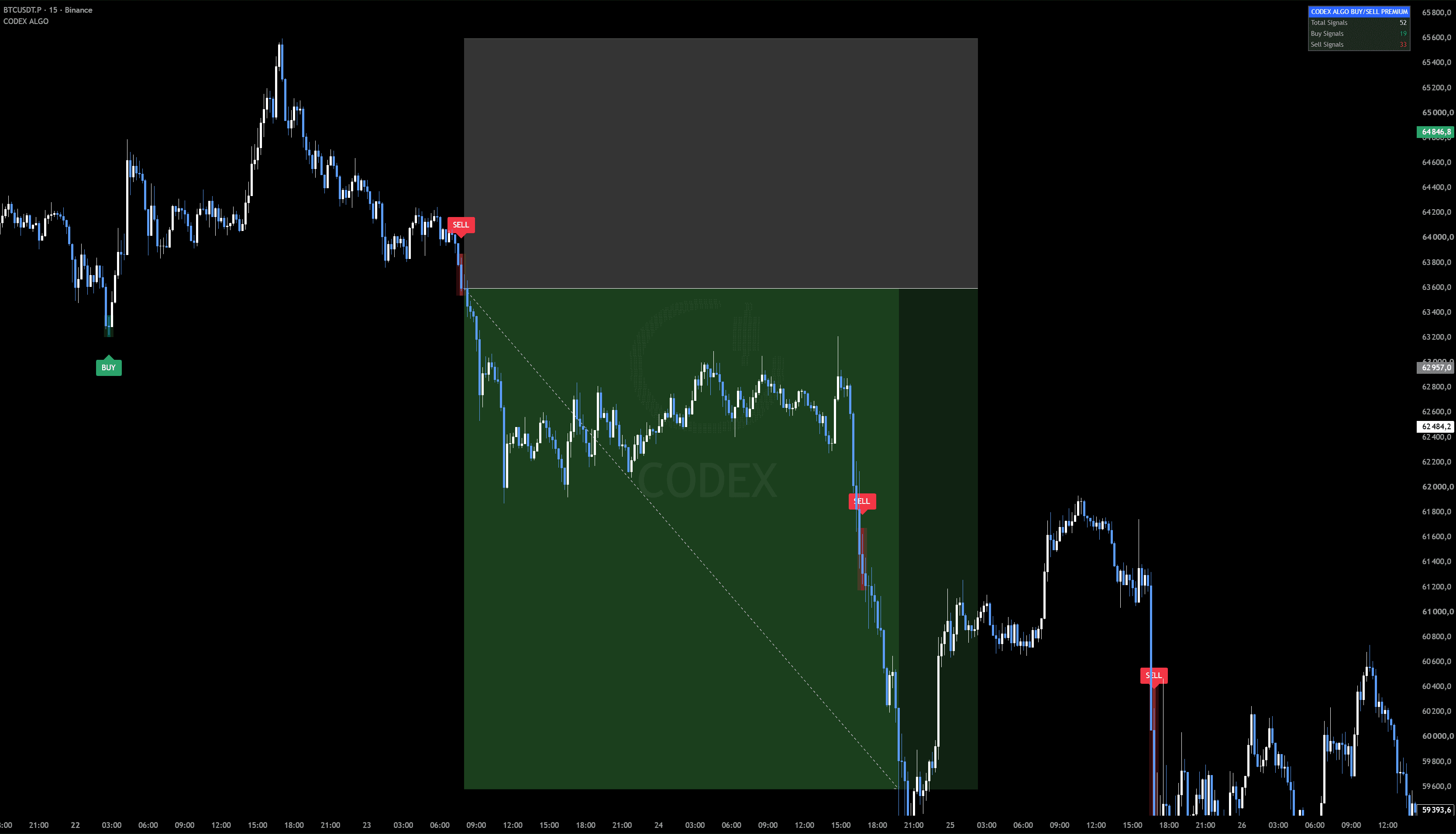
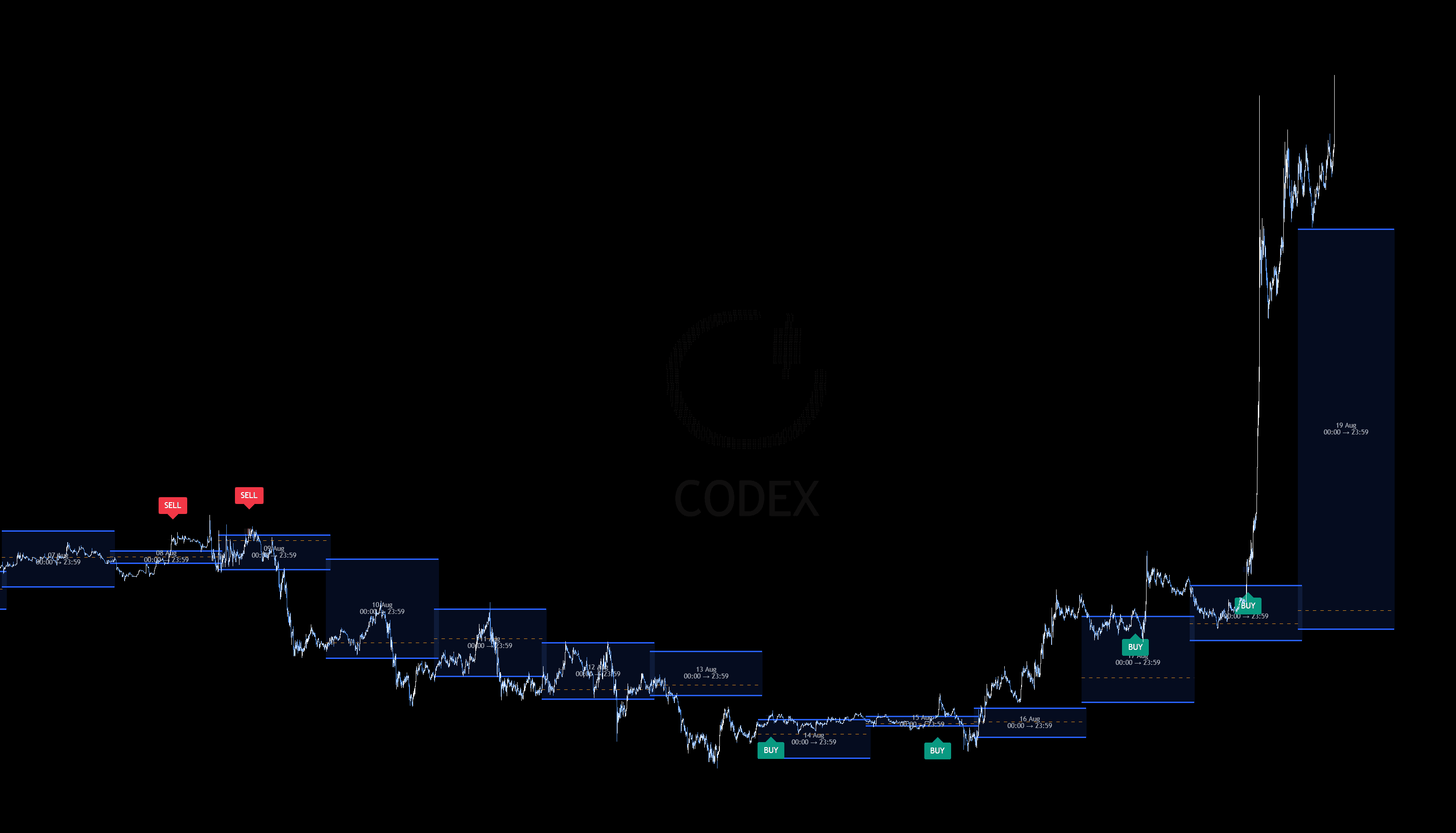
Zoomed out
Weeks of signals. One chart.
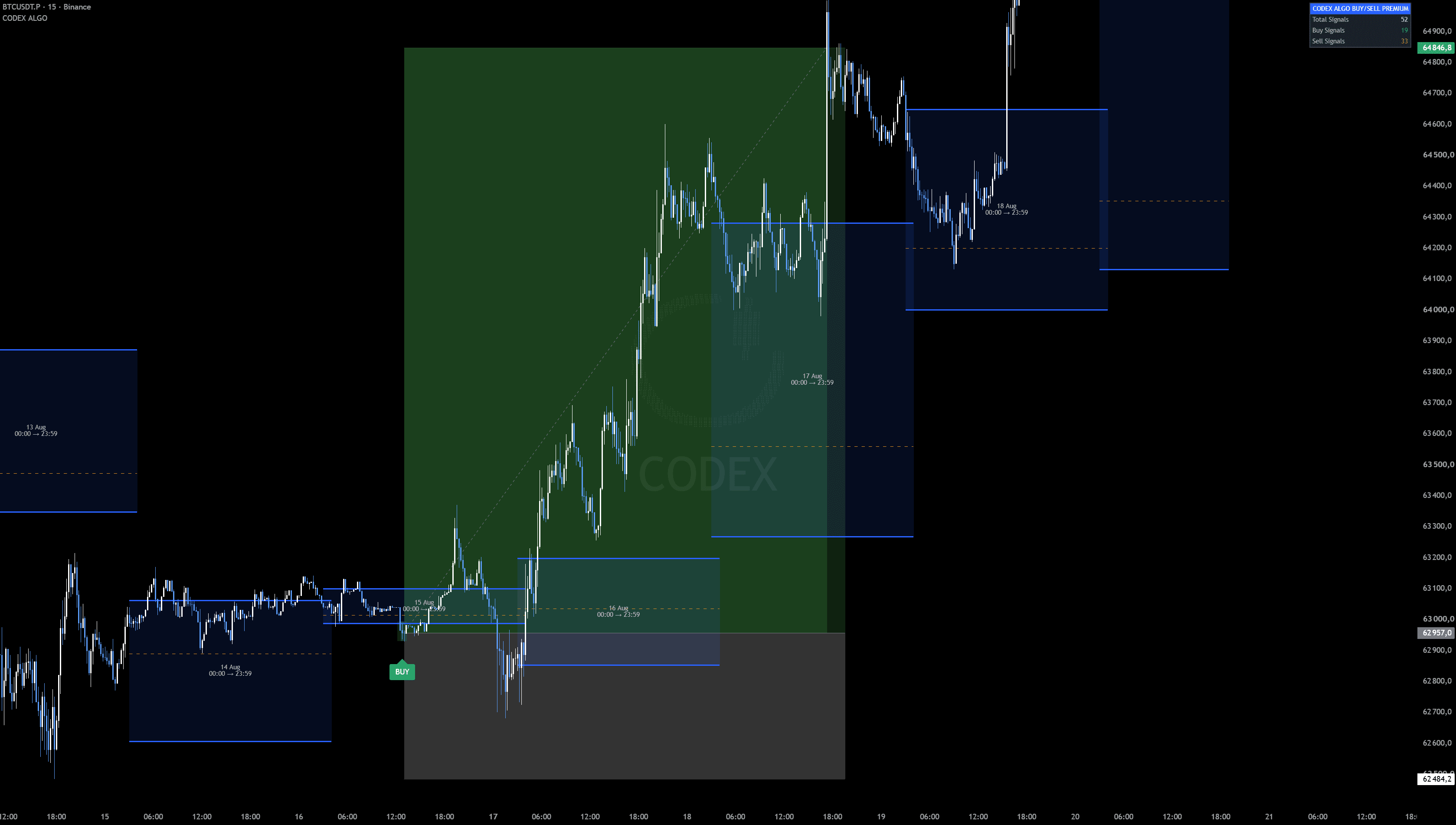
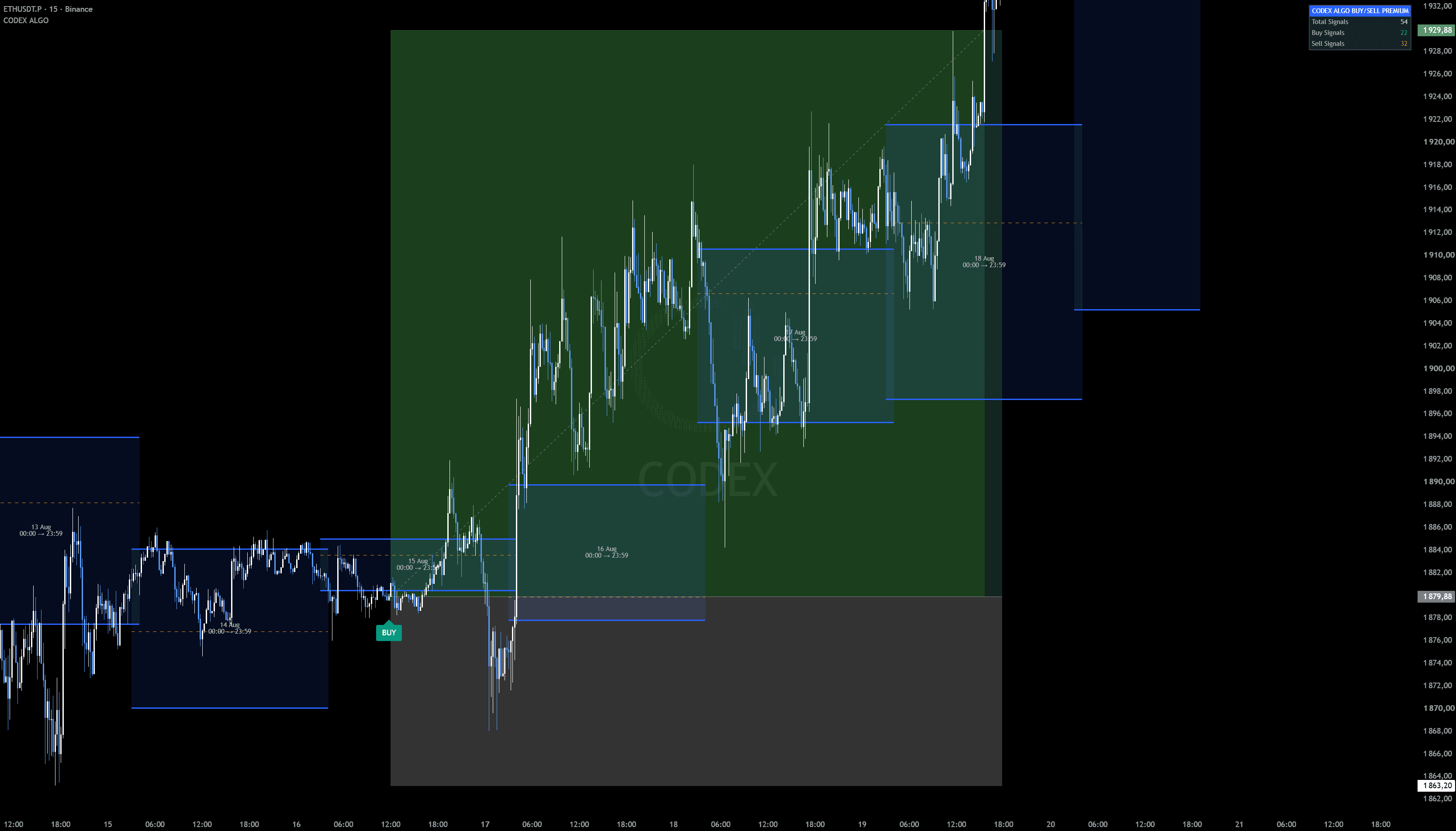
Zoom out and see the full picture: every BUY and SELL CODEX printed across weeks of price action — where the signals appeared and what the market did next.
BTCUSDT.PWin Rate 84%2024 — 2026
Built for traders who value structure over noise
↻ Hover a card to see how it earns your trust
How CODEX works
One signal. Multiple layers of analysis.
CODEX.ALGO does not generate a BUY or SELL signal from a single oscillator, moving average or candle pattern.
Before a signal is confirmed, the engine evaluates multiple layers of market context including higher-timeframe structure, confirmed market events and volume-derived market acceptance areas. The internal thresholds and decision model remain proprietary.
H4↓Market Structure
H1↓Confirmed Market Event
VOLUME↓Market Acceptance / Value Area
CODEX↓Signal Engine
BUY / SELL↓Confirmed Signal
Supported markets
Behaviour varies by symbol, exchange, data feed and market conditions.
Multi-timeframe visibility
5m15m30m1H4H1D
Signals and market context can be observed across multiple timeframes directly inside TradingView.
Codex Playbook
How to trade with CODEX.ALGO
The simple CODEX workflow.
STEP 01
Open your market
Open the instrument you trade in TradingView — Forex, Commodities, Indices or Crypto. No settings marathon required.
STEP 02
Add CODEX.ALGO
TradingView → Indicators → Invite-only Scripts → CODEX.ALGO. The engine appears directly on top of your chart.
STEP 03
Any timeframe works
Signals are identical on every timeframe.
A signal is confirmed on the close of a 1H candle, but it appears at the same place on any chart — from 5m to 1D. Open whichever timeframe you prefer; CODEX uses the broader market-structure context inside its algorithm — you do not need to recalculate H4 structure manually.
STEP 04
BUY signal
BUY = Look for Long
CODEX has confirmed a bullish directional event under its current market model. A signal is an analytical event — not a guaranteed price increase.
BUY
STEP 05
SELL signal
SELL = Look for Short
CODEX has confirmed a bearish directional event under its current market model. A signal is an analytical event — not a guaranteed price decrease.
SELL
CODEX in 20 seconds
BUY
Green BUY
Look for Long.
SELL
Red SELL
Look for Short.
Fewer signals. Stronger filtering.
CODEX is intentionally selective. Its purpose is not to fill the chart with BUY and SELL labels. A signal appears only when the internal market model reaches the required confirmation state.
No signal is also a signal: wait.
Risk First
Protect capital first.
CODEX defines the direction and the confirmed event. Execution and risk remain under the trader's control.
SIGNALCODEX BUY / SELL
ENTRYExecute only after the confirmed signal.
STOPDefine invalidation before entering.
TARGETDefine the expected reward before entering.
RISKNever increase risk because a previous trade lost.
Five beginner rules
01Decide maximum risk before entry.
02Never move the stop farther to avoid taking a loss.
03Never increase position size to recover a previous loss.
04Do not treat any CODEX signal as guaranteed.
05Avoid entering simply because you are afraid of missing the move.
Define your risk before entering
A stop should represent the point where your trade idea is invalidated — not a random monetary amount. Never enter a trade without knowing where you will exit if the setup fails.
Don't take every possible trade
Before executing, know your entry, stop, target and the potential reward relative to risk. Prefer setups where potential reward meaningfully exceeds planned risk.
CODEX is an analytical tool. Risk remains under the trader's control.
When should I not trade?
Even when a CODEX signal appears, you can skip the trade.
Extreme volatility
If the market is moving abnormally fast, execution can become significantly worse.
Major scheduled news
Avoid blindly entering immediately around major market-moving economic releases.
Poor execution
If spread, slippage or execution conditions are abnormal, wait.
You missed the move
If price has already moved substantially after the signal — do not chase it.
No clear risk
If you cannot define where the trade becomes invalid — skip the trade.
Missed the entry? Skip it.
CODEX will produce future opportunities. A missed trade is better than an uncontrolled entry.
Don't watch the chart all day.
CODEX.ALGO supports native TradingView alerts, so a confirmed event reaches you anywhere.
Pro tip
Set CODEX alerts on every asset you trade — TradingView will notify you the moment a BUY or SELL is confirmed on any of them, even when the chart is closed.
BUY AlertsSELL Alerts
↓TradingView
↓Alerts
↓CODEX.ALGO
↓Select BUY / SELL alert
↓Create Alert
The CODEX routine
01Open your chart — any timeframe
02Add CODEX.ALGO
03Wait for a confirmed BUY or SELL
04BUY = bullish setup · SELL = bearish setup
05Define risk before entering
06Do not chase missed moves
07Skip abnormal market conditions
08Manage the trade according to your predefined risk
09Wait for the next CODEX setup
Wait for CODEX. Don't force the trade.
Pricing
Get CODEX ALGO CORE
Choose your access period — checkout takes about a minute. Access activated within 30 minutes after confirmed payment.
Choose a cryptocurrency and network, then complete the payment.
04
Open the indicator
Access is activated within 30 minutes: TradingView → Indicators → Invite-only Scripts.
Activation within 30 minutes
Right after payment you receive the link to the Buy/Sell indicator. Within 30 minutes the system adds your username to the TradingView database — and access to the indicator opens on your account.
CODEX.ALGO — questions
CODEX.ALGO is currently available through Crypto Checkout on the official CODEX.ALGO website. Choose a plan, enter your TradingView username and pay with a supported cryptocurrency.
Card payments are currently being integrated and will become available soon.
Direct TradingView checkout is coming soon. For now, subscriptions are purchased through the official CODEX.ALGO website using cryptocurrency.
During checkout, enter your TradingView username. After your payment is confirmed, access to CODEX.ALGO will be assigned directly to that TradingView account.
Access is activated within 30 minutes after the crypto payment is confirmed.
No. CODEX.ALGO access is assigned to the TradingView account associated with your subscription.
No. Access is granted directly to the TradingView username associated with your active subscription. The indicator is not delivered as a downloadable Pine Script file or reusable access link.
No. Historical results describe the tested historical dataset. Future market conditions can differ and no historical win rate guarantees future trading performance.
No. CODEX.ALGO is an Invite-only TradingView indicator. Your subscription provides usage access, not the Pine Script source code.
If the subscription is not renewed, access to CODEX.ALGO is removed after the paid period expires. You can always buy a new subscription at any time — or pay once for Lifetime access and never worry about renewals again.
Yes. Renewing your subscription extends CODEX.ALGO access for your existing TradingView account. And even if your access has already expired, a new plan is available at any moment — including a one-time Lifetime purchase with no renewals at all.